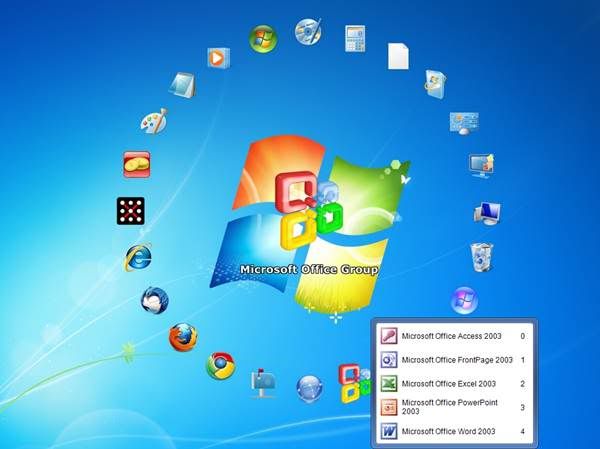
A few tools that I have used for customizing my desktop are in this post.
Using Fences
If you have a lot of shortcut items lying on your desktop, then it becomes a little difficult task for you to select the one you are looking for. Fences is the application that will help you, it can easily organize icons into separate windows on your desktop in a manner you want them to be or let it create for you.
ABCFastDirectoryIt gives us many options like setting the fence area, customizing type of items in a particular fence, also we can drag and drop shortcuts anywhere. Another interesting feature is that we can hide icons by double-tapping the desktop; double-tapping again resurfaces them.

Want to Have Multiple Desktops – Use Deskpot
 Deskpot is a very interesting application for those who want to have more than 1 workstations. It gives you the ability to have at most 20 workspaces. You can customize each for a different task such as desktop1 is for surfing, desktop2 is for listening to music, desktop 3 for chatting (you can keep shortcuts for all those messengers like Gtalk, Yahoo etc.) and so on.
It's a virtual Desktop tool that enables us to switch between desktop. Implementing it is a very great idea as it is very easy to use and provide us with very good options to view and customize our desktop differently.
You can download it from DEXPOT
GeekTool for MAC Users
GeekTool is an application built for Mac OS 10.6+. GeekTool is a really neat preference panel that allows widget-like functionality on a highly customizable level.It lets you display various kinds of information on your desktop via 3 default plug-ins:File plugin to monitor MAC OS X activity with /var/log/system.log, or any file that you want to follow. Shell mode to launch custom scripts or commands like "df" to check space left on file systems or "uptime" to monitor load on your machine. Finally, Image mode helps you monitor bandwidth usage, CPU load, memory availability on your server with tools like MRTG(The Multi Router Traffic Grapher).
Download it from here GEEKTOOL
Procedure for Installing GeekTool


YoWindow
If you are a nature lover then this is the perfect tool for beautifying your Desktop. YoWindow is a new generation of weather program that delivers weather information in most real yet fun interface that i have ever seen. It give information regarding, wind, pressure, and humidity. The background keeps changing with time and it’s fun to look at weather.Download it from yowindow.com


Gud work
ReplyDeleteThank You Very much for your appreciation
Delete